
Important: You will be using the same email as the email you booked classes in SAYAS Study Track.
Dashboard
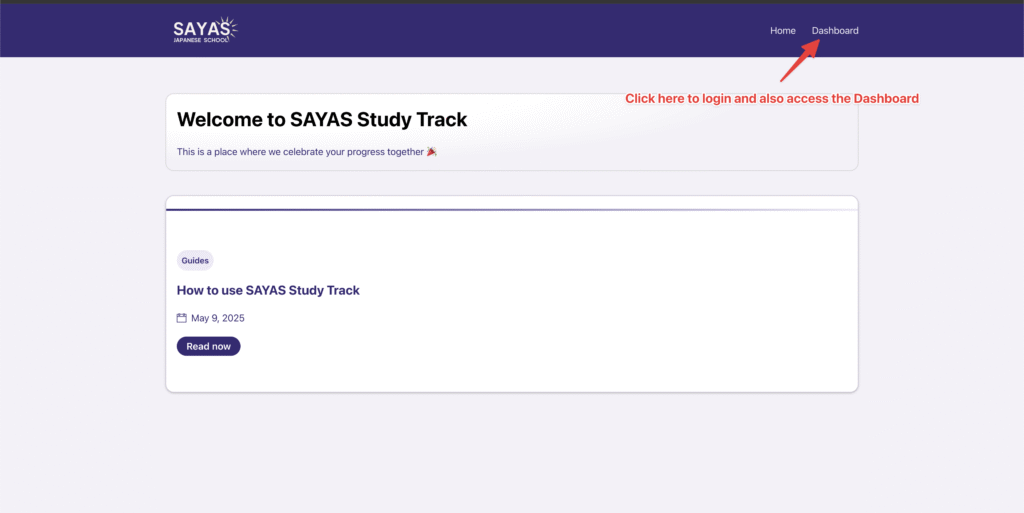
1. Login by clicking on the Dashboard link
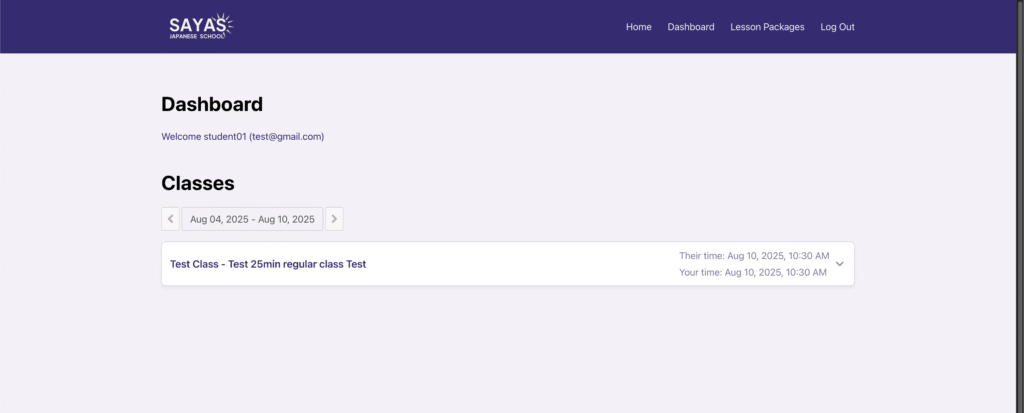
2. See your classes in the Dashboard
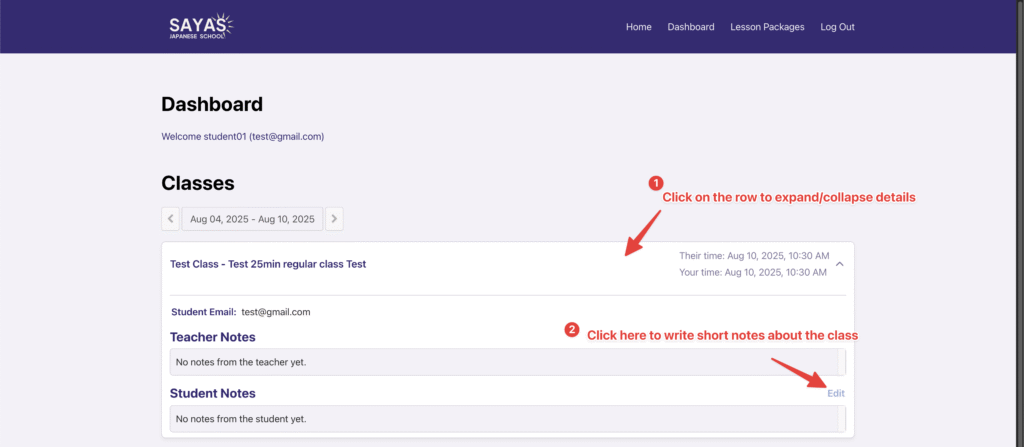
3. Click on the class to expand details and add class notes
Lesson Packages
1. Click on Lesson Packages in the Menu to see your packages
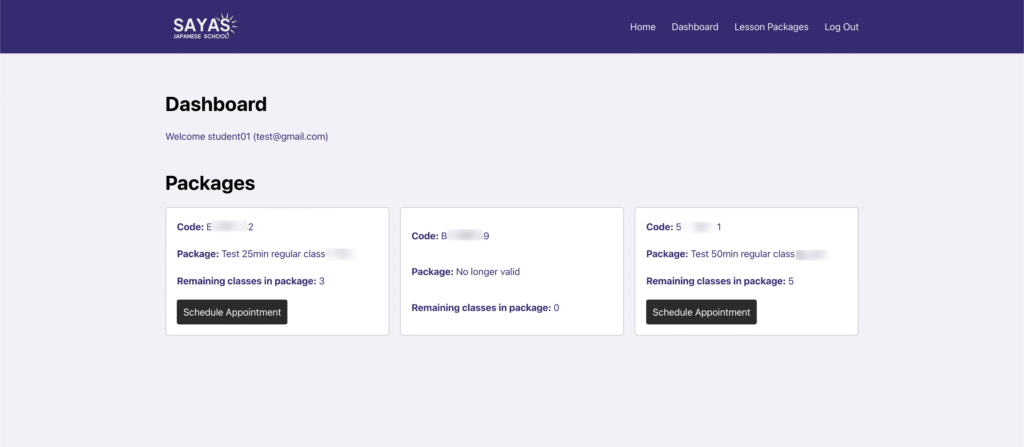
2. Click on Schedule Appointment and you will see the package code being applied automatically
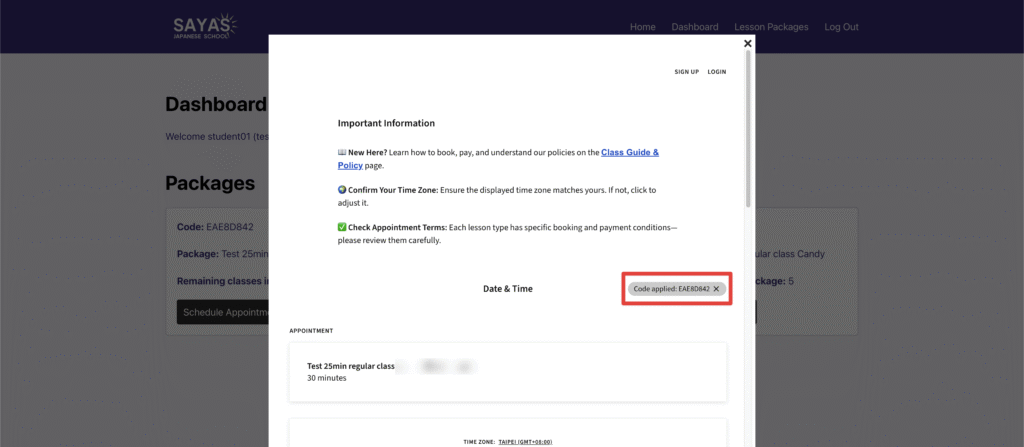
Book your lessons and please remember to use the same email address!